Your judgment becomes a criterion you can use again.
See how a reviewer uses CandidTalentEdge to save a screening criterion, change it, and re-evaluate an earlier candidate.
Actual product UI with fictional candidates and simulated AI responses.
How these screenshots were made
This walkthrough shows the CandidTalentEdge 1.0.0 interface. All candidate records, validation replies and evaluation replies are fictional fixtures served at the API boundary. The configured consequence was also checked separately against the production policy code.
This is not an end-to-end live-model evaluation, an accuracy benchmark, or proof of reduced bias. “No concerns” means this particular condition did not match. It does not verify all skills or make a hiring decision.
Re-evaluating candidates uses your OpenAI API key and incurs usage costs.
Start with your own judgment.
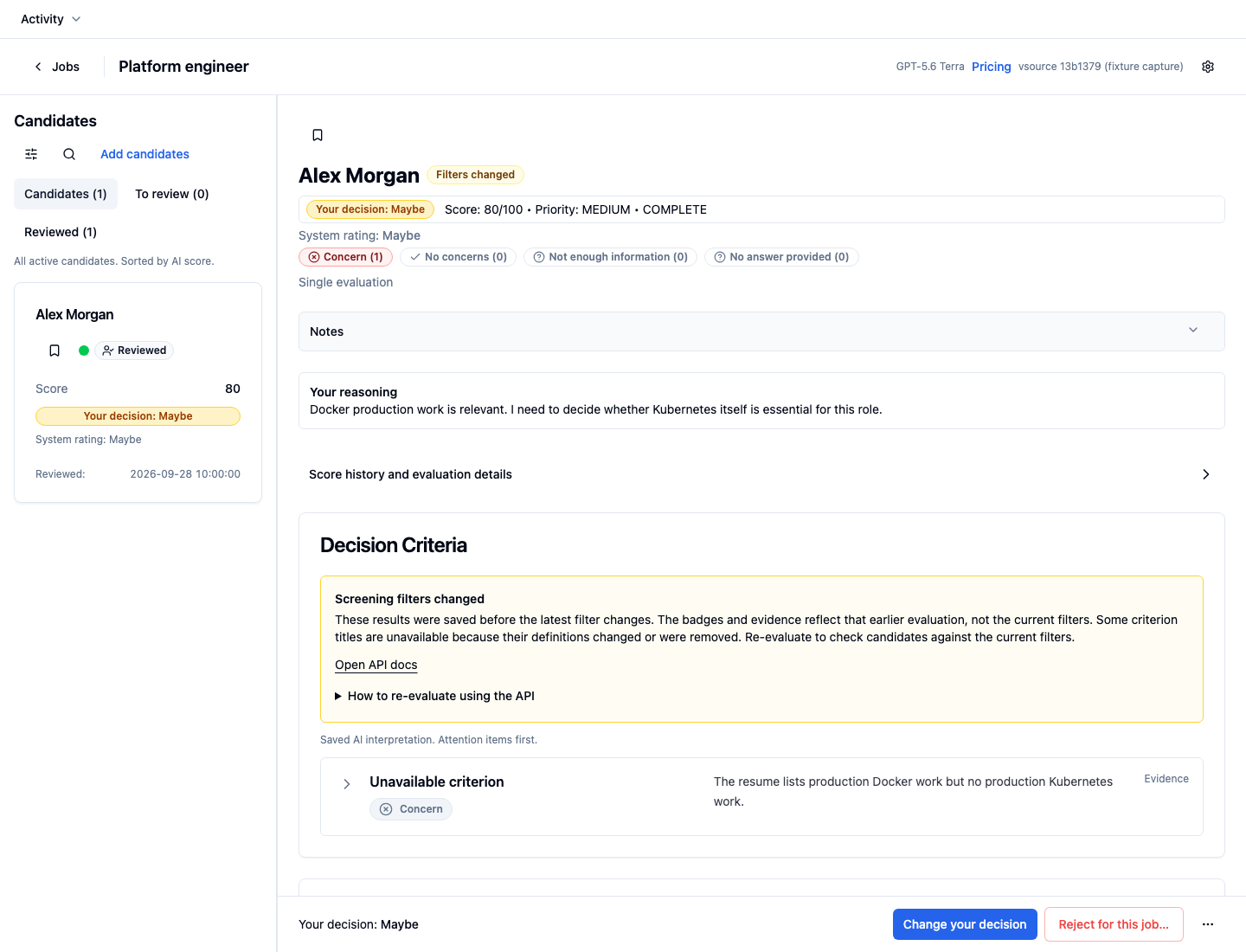
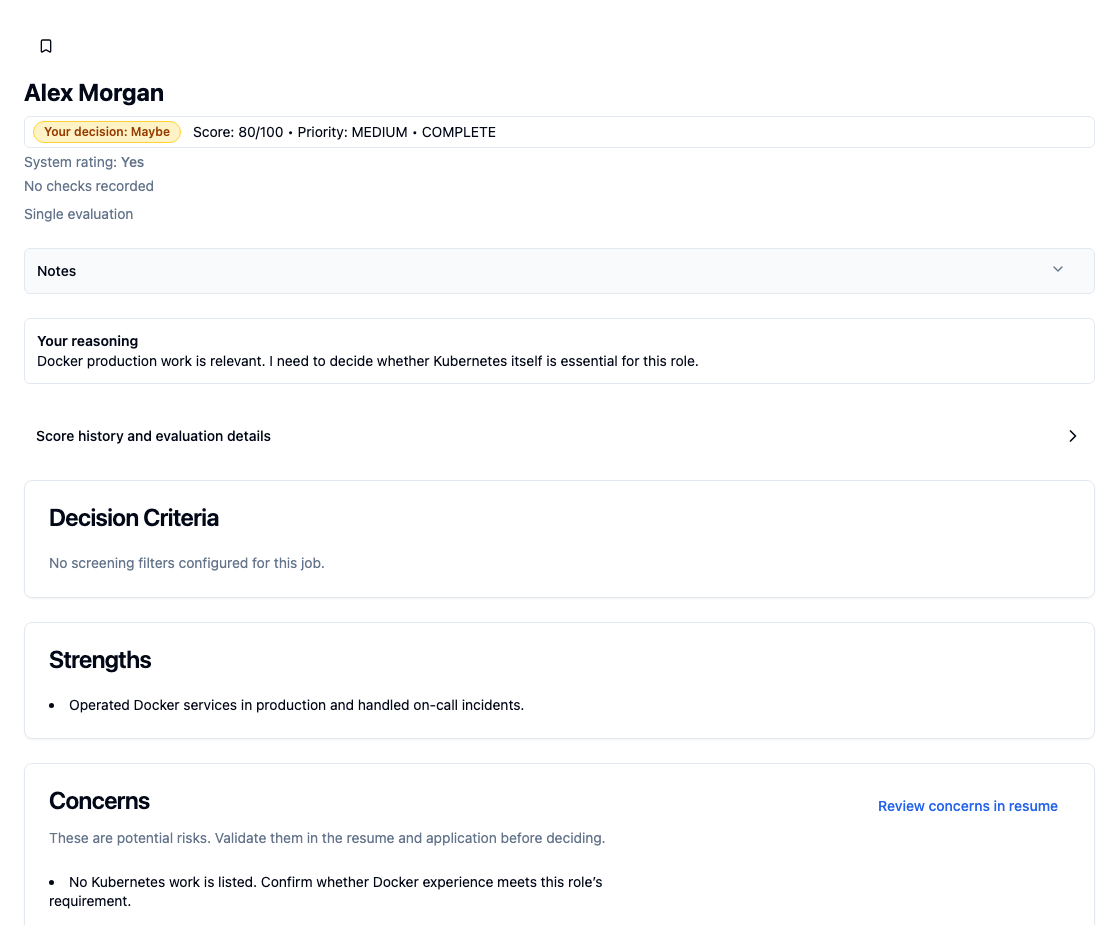
Alex’s review shows production Docker work but no Kubernetes work. The reviewer records Maybe and explains the concern. That decision does not change the system rating.
Open full-size capture 1Your reasoning
“Docker production work is relevant. I need to decide whether Kubernetes itself is essential for this role.”
Make the requirement explicit.
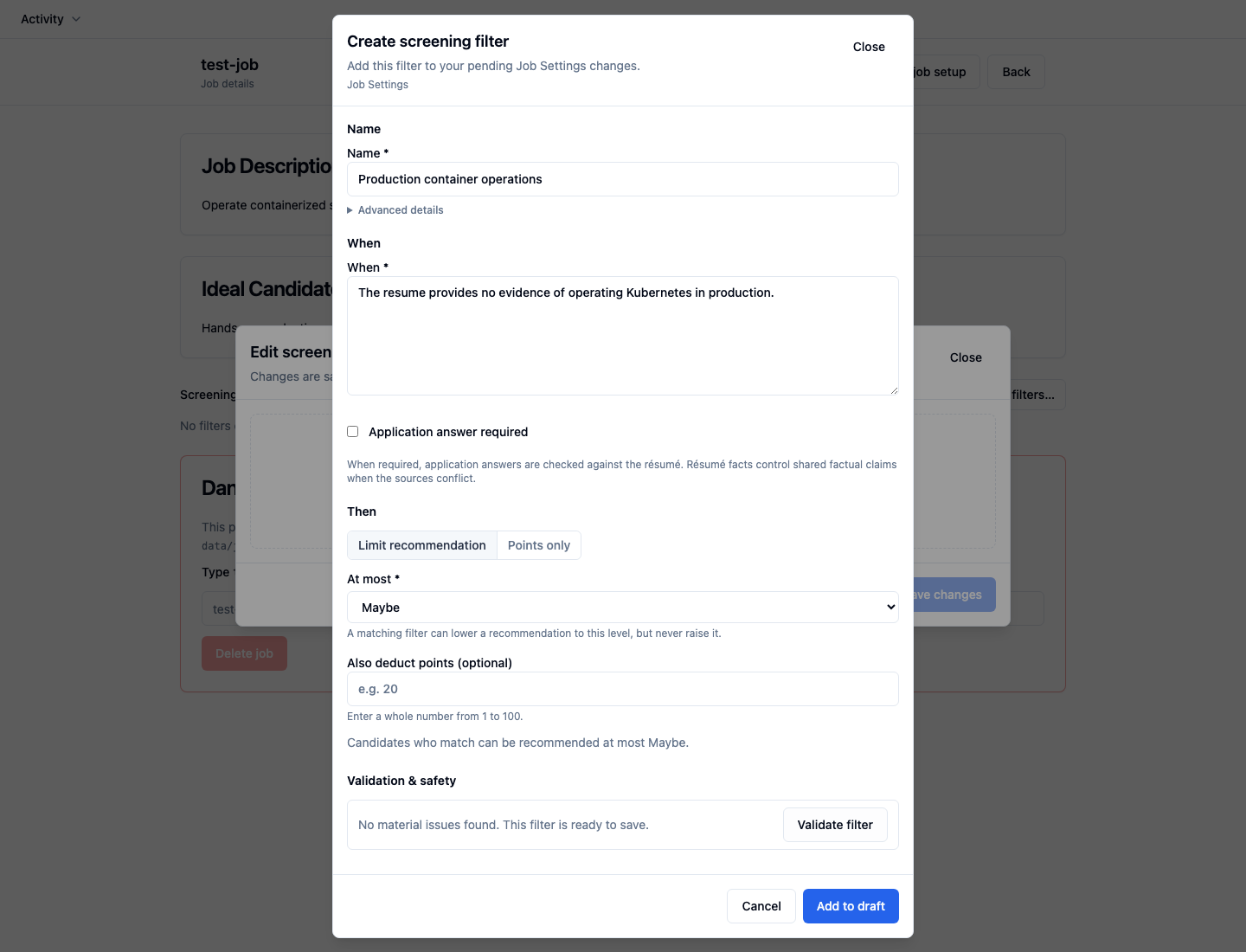
In Job Settings, choose Edit filters → Add filter. Name the filter, write its When condition, and choose what a match will do. Select Validate filter, then Add to draft.
When
“The resume provides no evidence of operating Kubernetes in production.”
Then: Limit recommendation · At most Maybe. No point deduction.
Not sure how much weight to give a filter? Start with Points only and a small deduction, such as 10 points. Check where it triggers as you evaluate new candidates, then adjust the deduction as you learn how much the finding matters for the role. Save recommendation limits like No and Maybe for requirements you consider essential.
Open full-size capture 2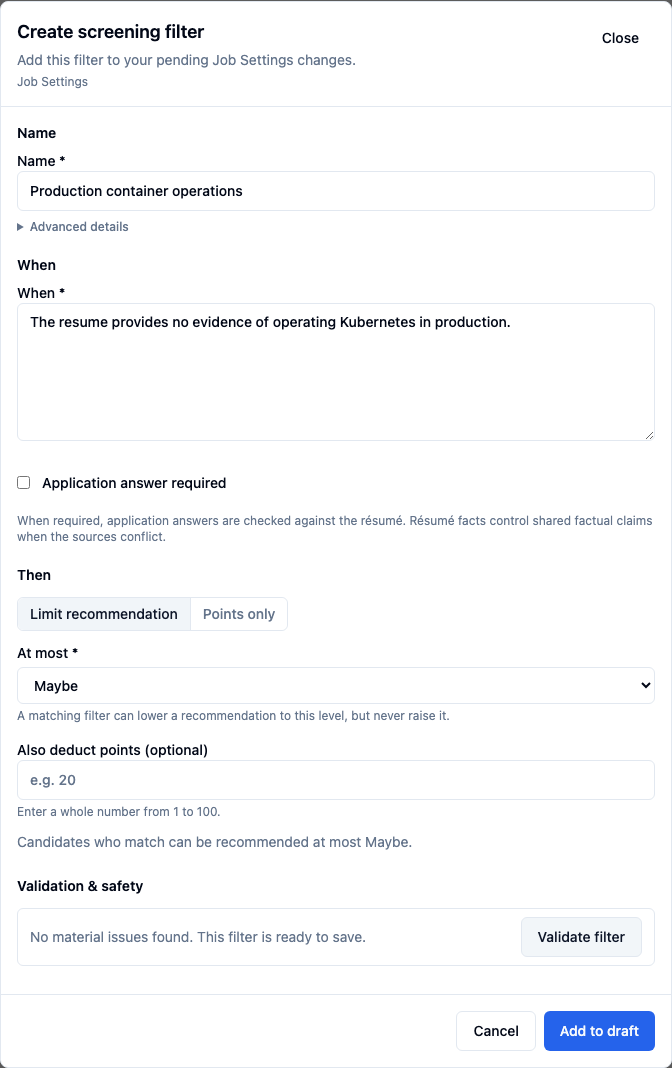
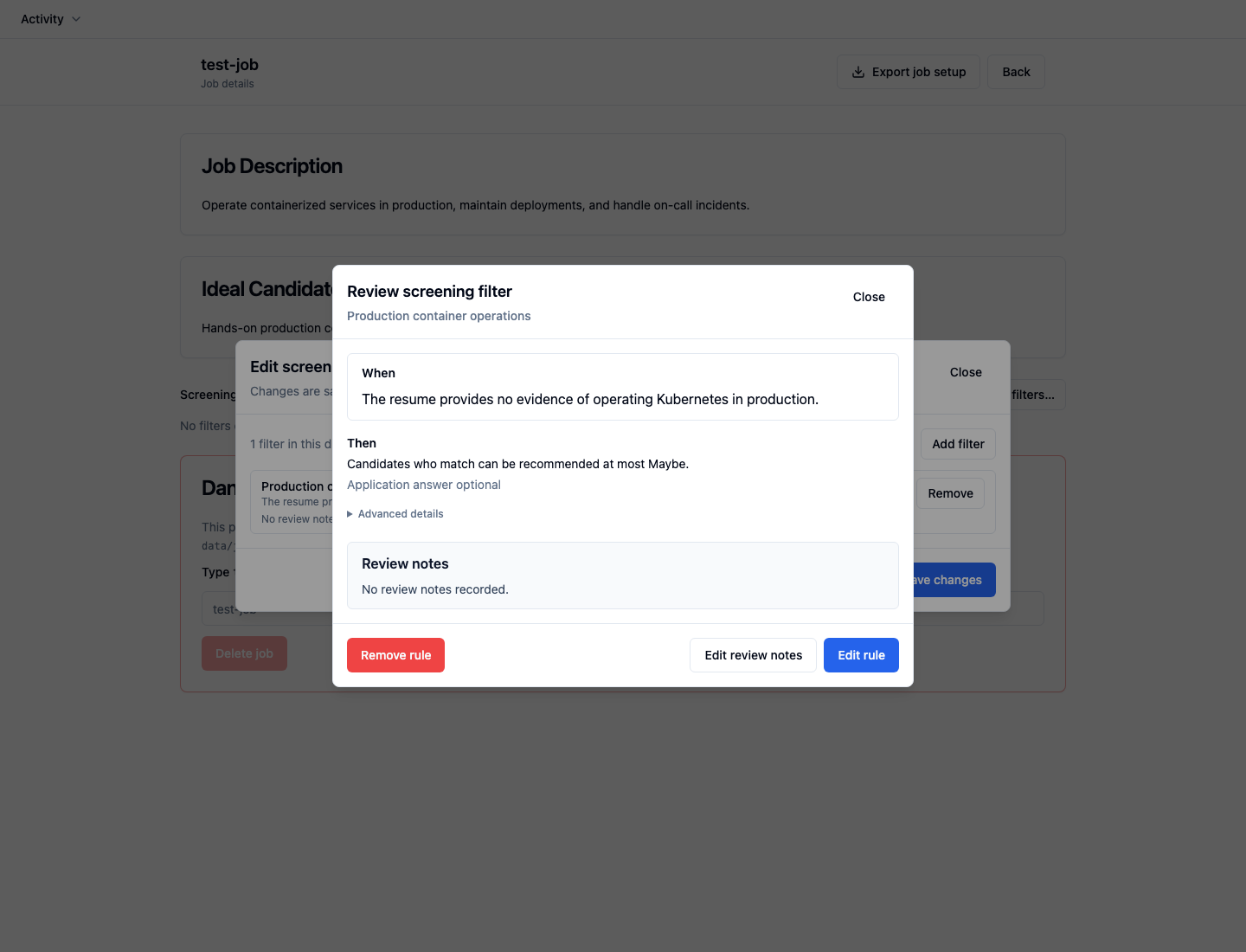
Review it before saving.
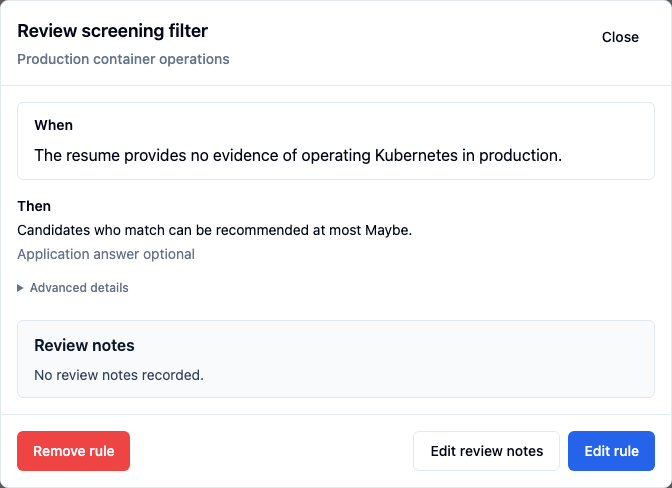
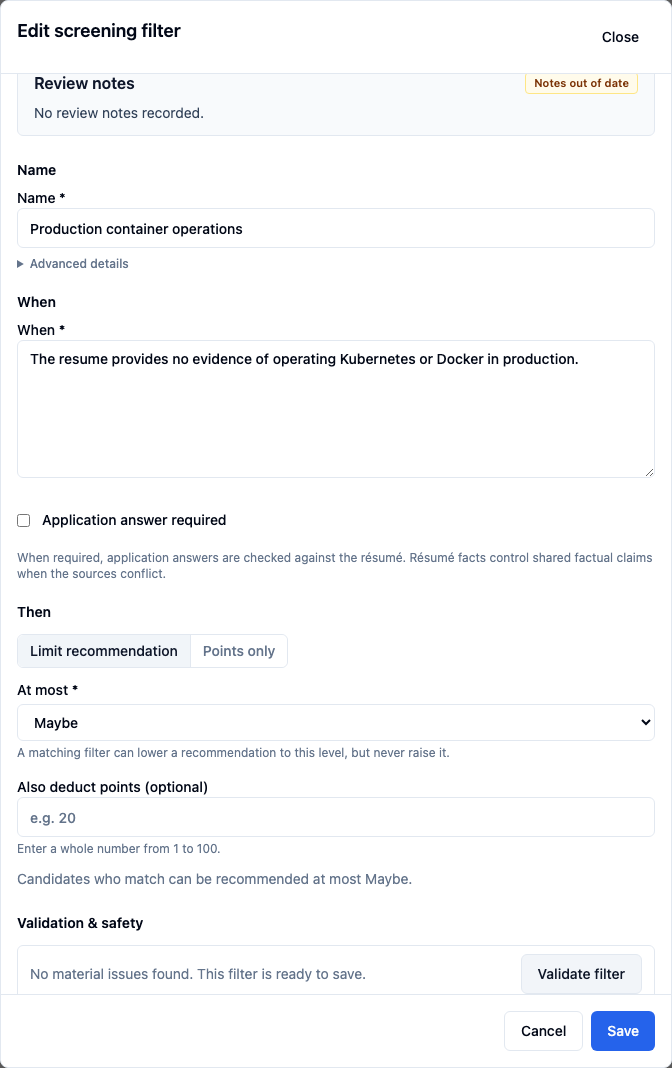
Open Review to inspect the wording and consequence together. Close this review, then choose Save changes in Edit screening filters. Adding a draft alone does not save it to the job.
Open full-size capture 3Saved consequence
“Candidates who match can be recommended at most Maybe.”
This limits a system recommendation. It does not reject an applicant.
Apply the filter. Check the evidence.
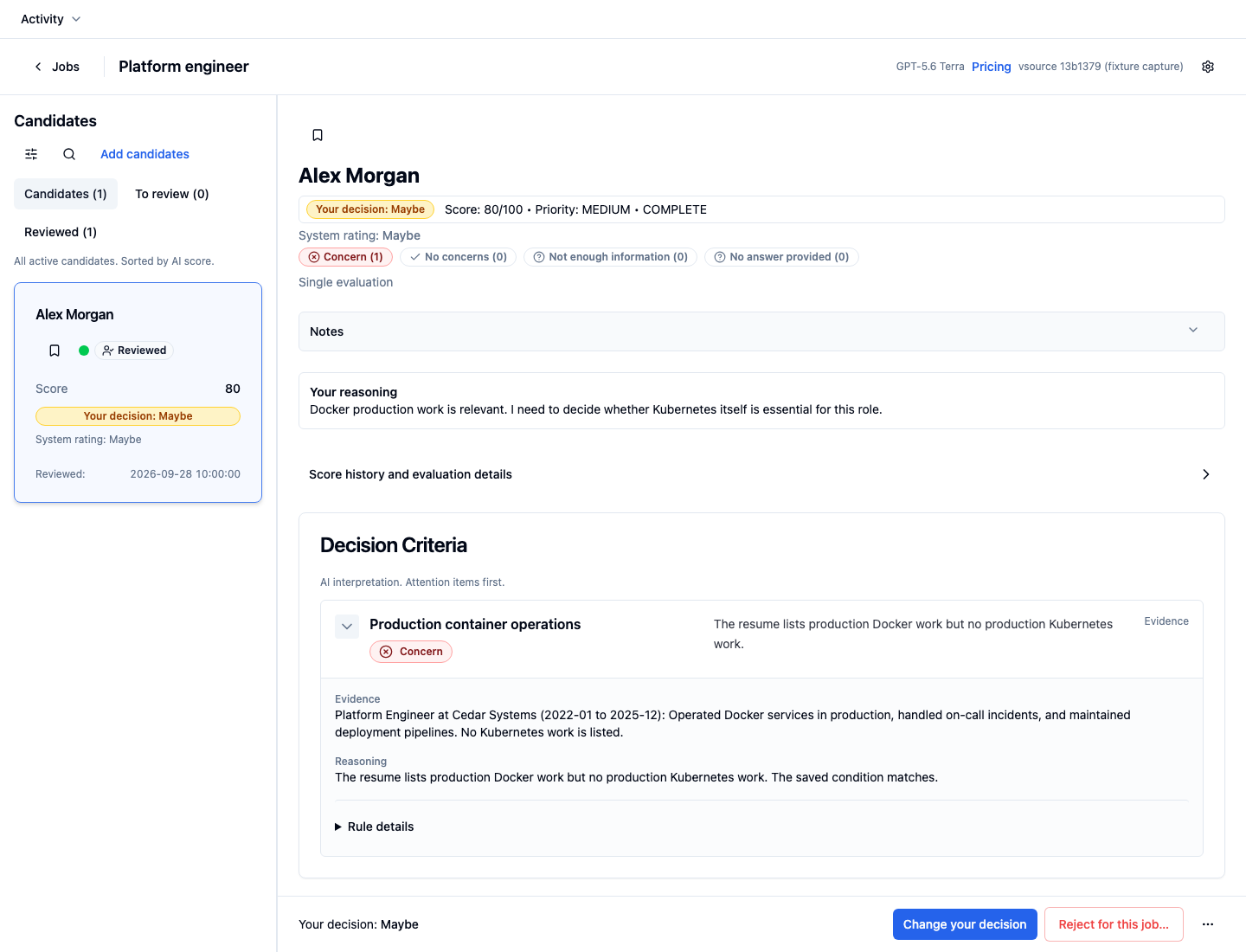
For Alex, choose Candidate actions → Re-evaluate candidate and confirm. Open Production container operations under Decision Criteria to inspect the evidence and reasoning.
Open full-size capture 4Result: Concern
The example matches: Docker operations are documented; Kubernetes work is not listed.
System rating: Maybe · Score: 80
Your decision: Maybe, unchanged.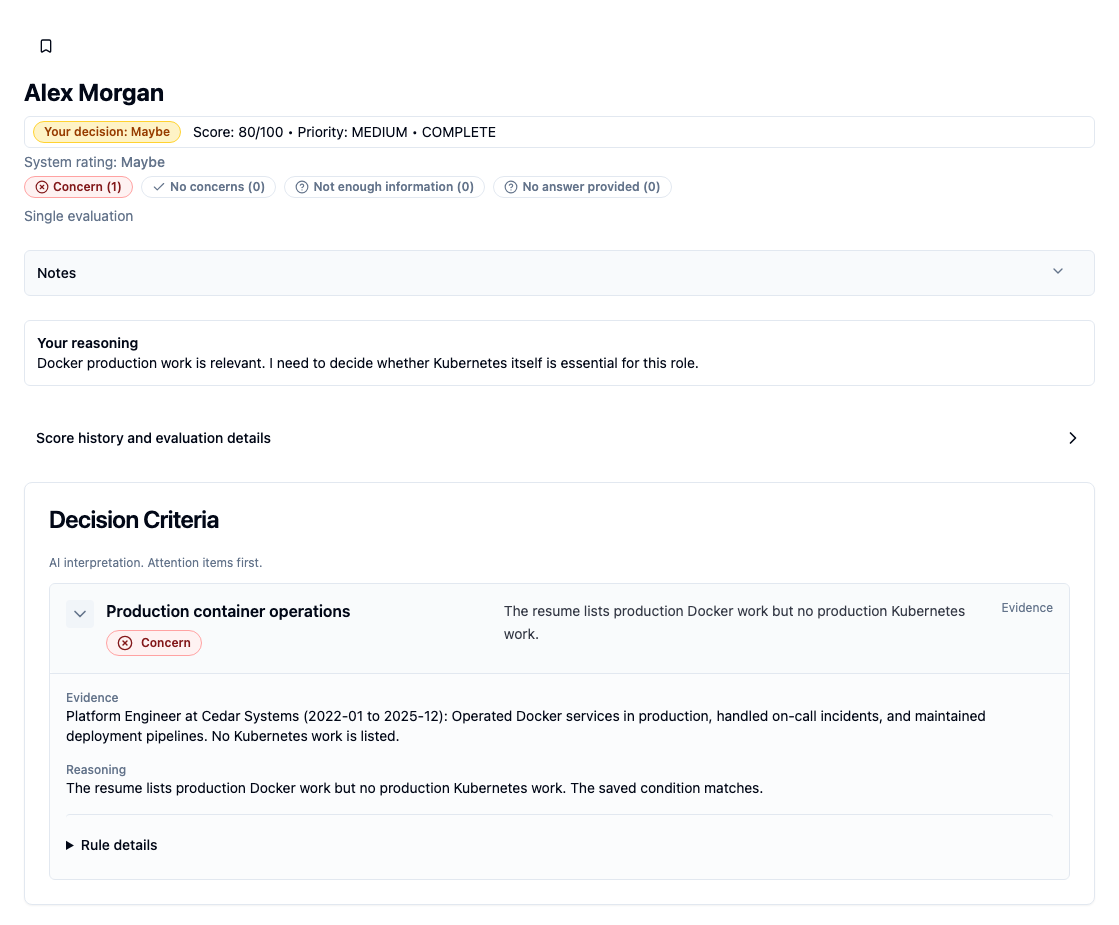
Change what the role requires.
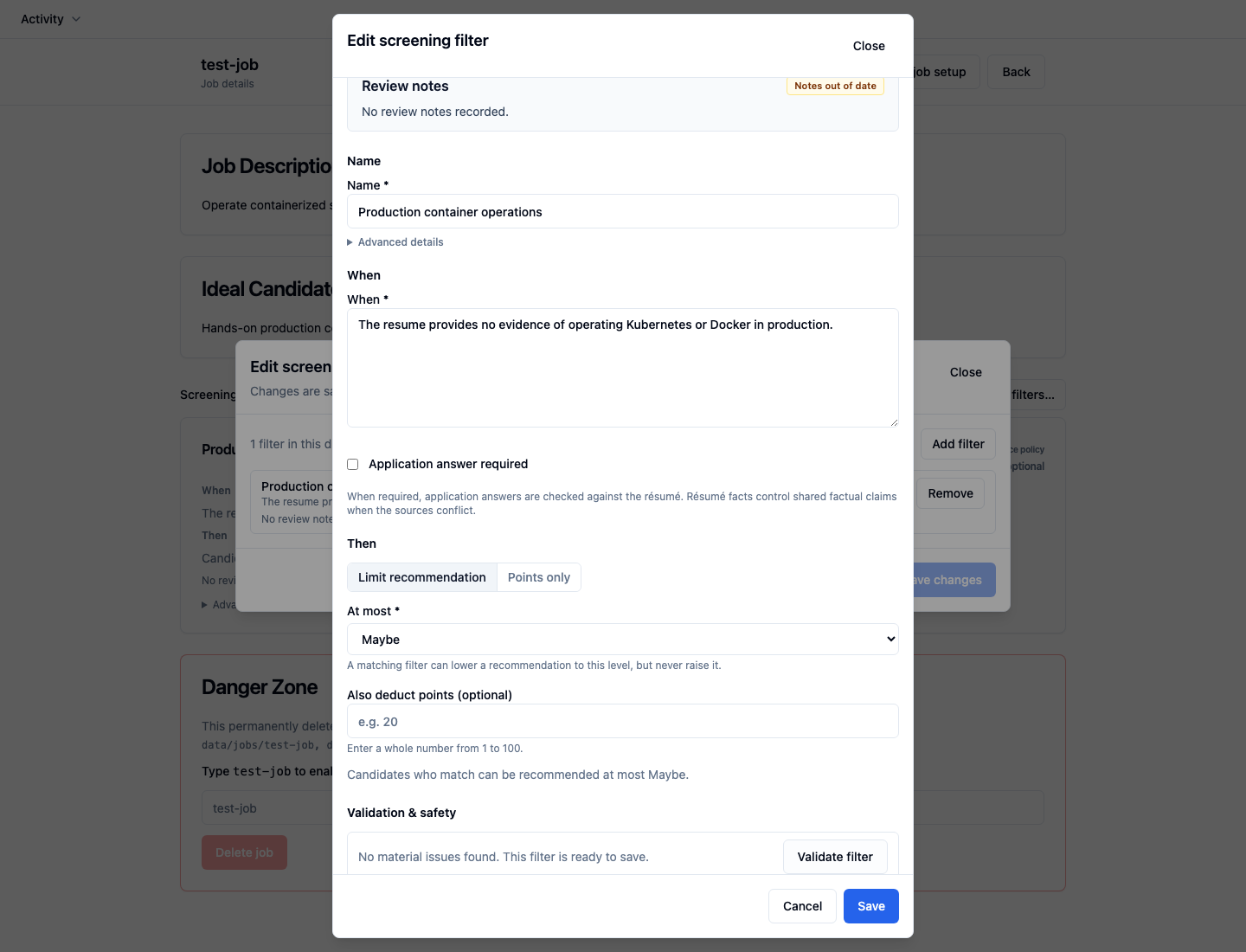
After reviewing the requirement, you decide that either platform is relevant. Use Review → Edit rule, revise When, validate, and choose Save. Close the review and choose Save changes.
Open full-size capture 5Revised When
“The resume provides no evidence of operating Kubernetes or Docker in production.”
The consequence stays At most Maybe.
Bring an earlier candidate up to date.
Saving the edit leaves Alex’s earlier result in place. Re-evaluation is optional. To check Alex against the current criteria, choose Re-evaluate candidate again and confirm.
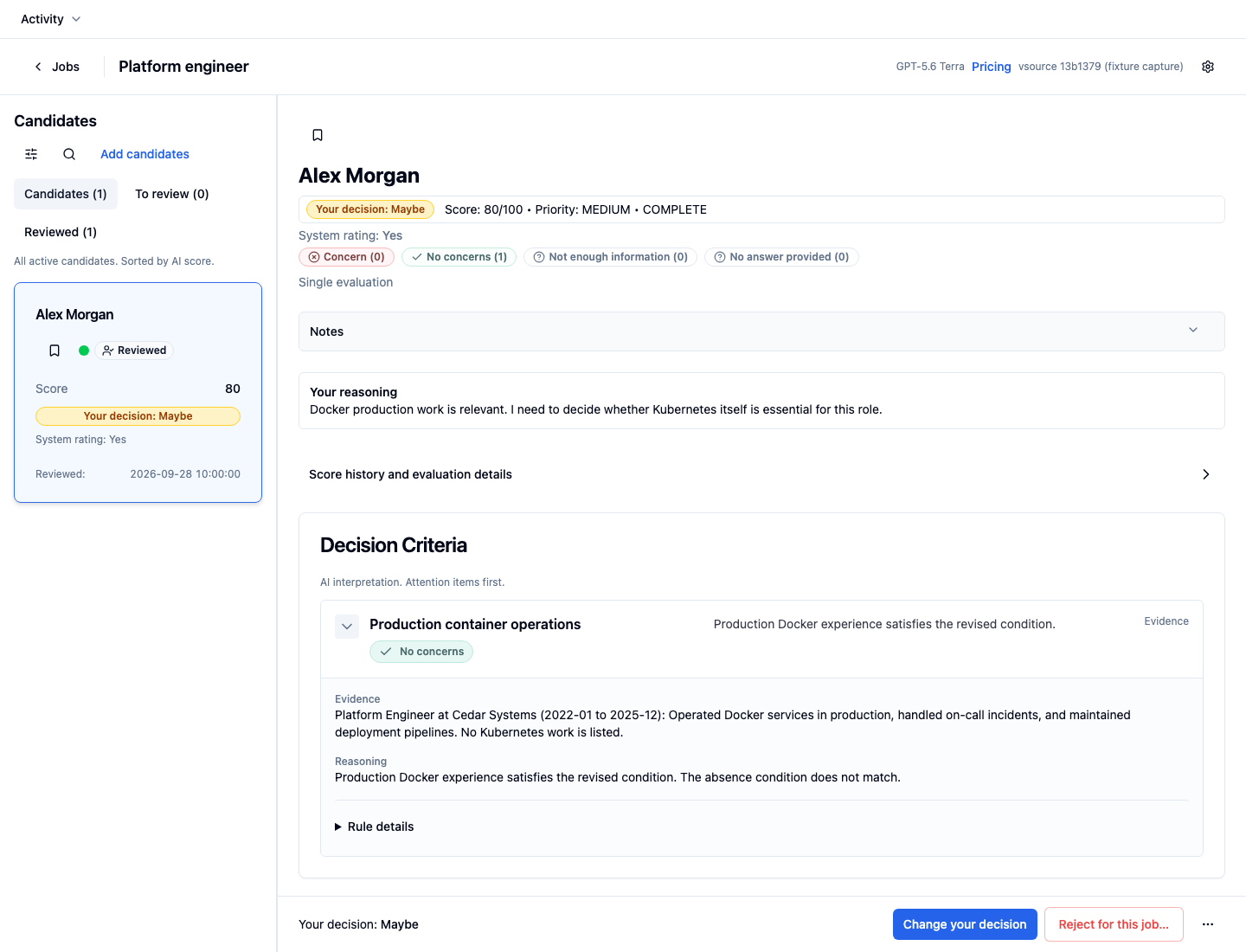
Result: No concerns for this criterion
Alex’s documented Docker work now meets the revised requirement.
System rating: Yes · Score: 80
Your decision: Maybe, still unchanged.Open full-size capture 6Applying a new filter to existing candidates
New or edited filters apply when you evaluate candidates. You can leave existing evaluations as they are, or choose to re-evaluate them against the current criteria.
For a whole job, keep the CandidTalentEdge desktop app open. In Settings → Browser access, choose Generate browser code, then open API docs. Enter the code in the new tab to authorize it. Once authorized, run GET /jobs and copy the job’s
nameintojob_name. Use that name, not its display name or a numbered position in a list.Under candidates, open
POST /jobs/{job_name}/candidates/re-evaluate. This starts a batch of AI evaluations and incurs usage costs. Human-rejected candidates are skipped by default.In those API docs, choose Try it out for the bulk endpoint and enter the job’s name. Generate a request ID once by running
python3 -c 'import uuid; print(uuid.uuid4())'in Terminal. Paste it into the request body as{"request_id": "your-generated-ID"}, then choose Execute. Keep the same ID and request body if you retry the batch. Reload the candidate view when the batch finishes.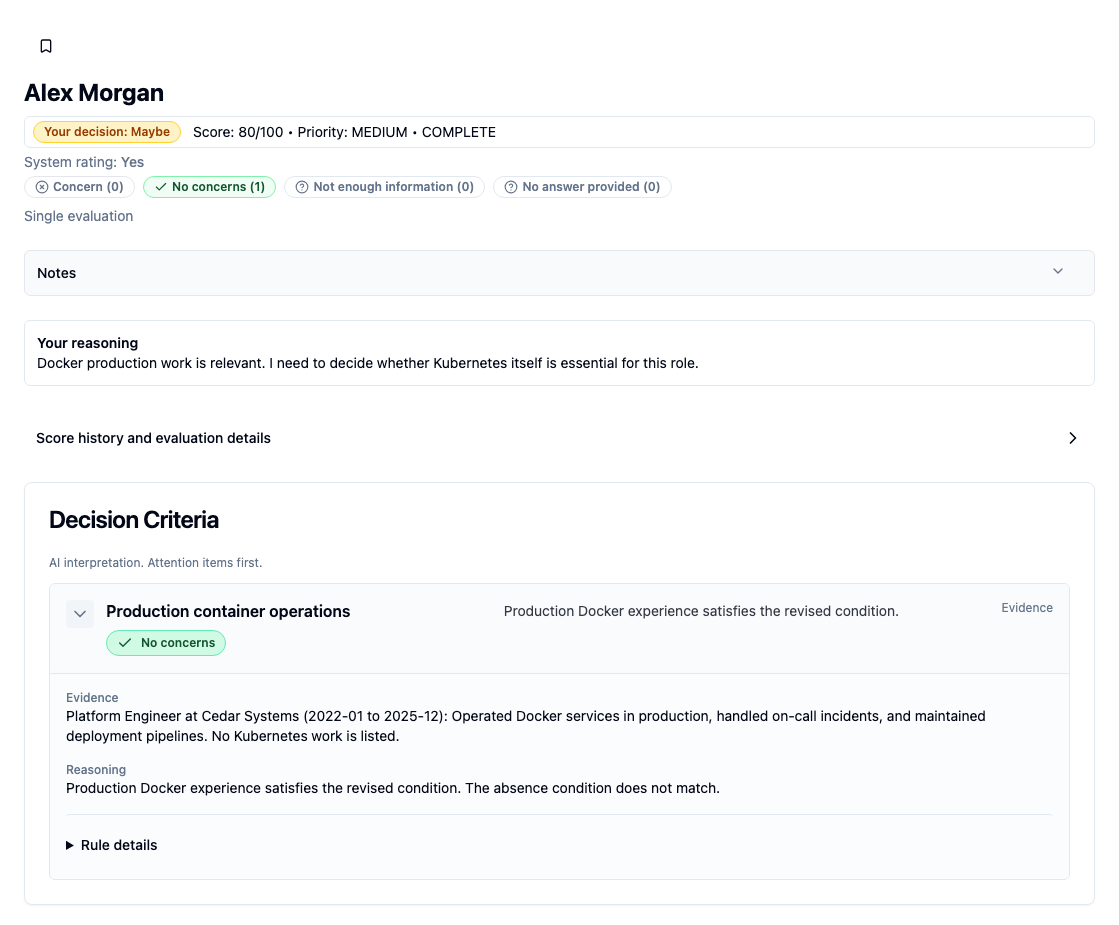
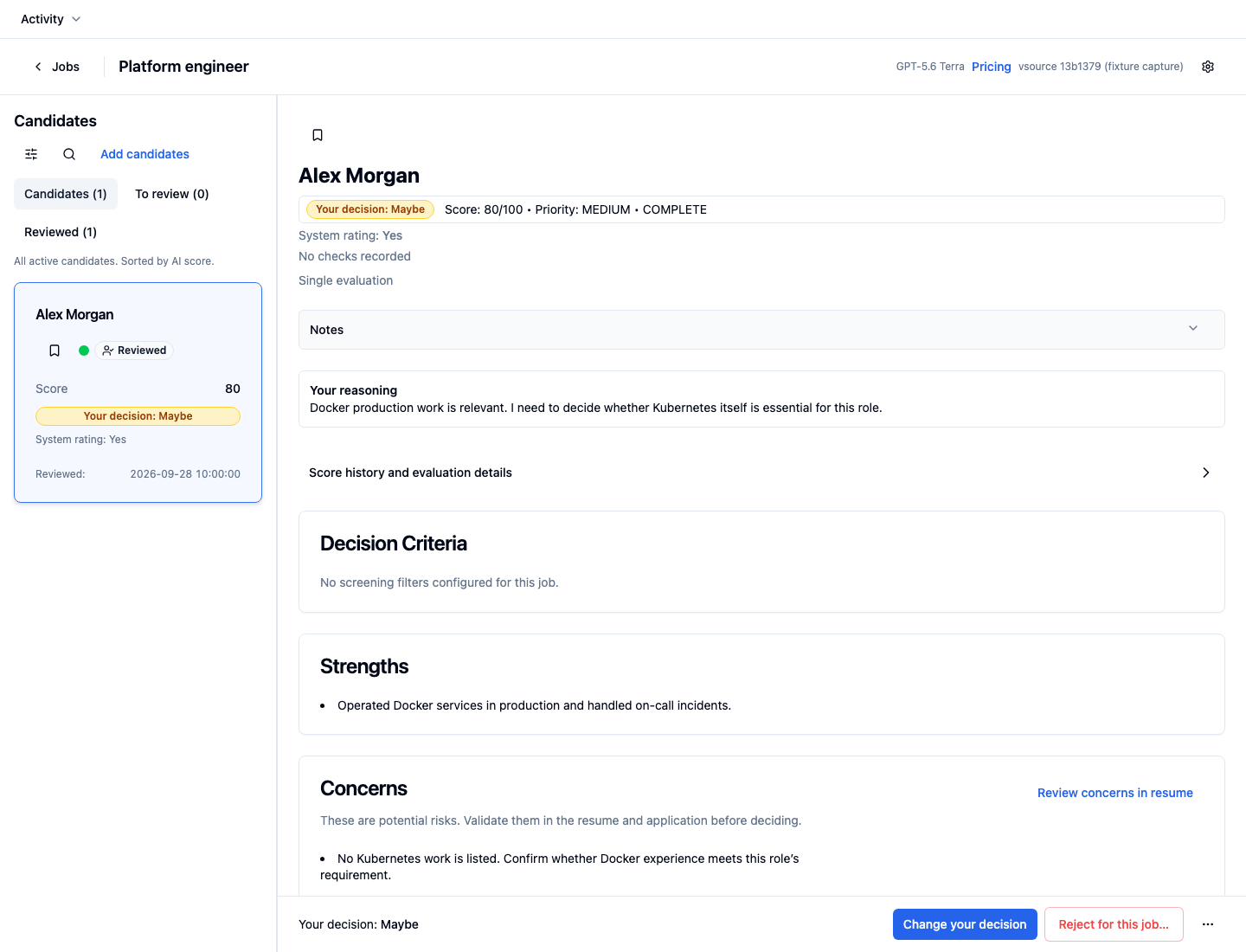
Keep your criteria and decisions with the review.
The job keeps your saved criteria and their consequences. When a requirement changes, you can re-evaluate earlier candidates and check the new evidence. Your recorded decisions stay unchanged until you edit them.